



Maintenance module · the engineer app
Field visits with proof the charger works.
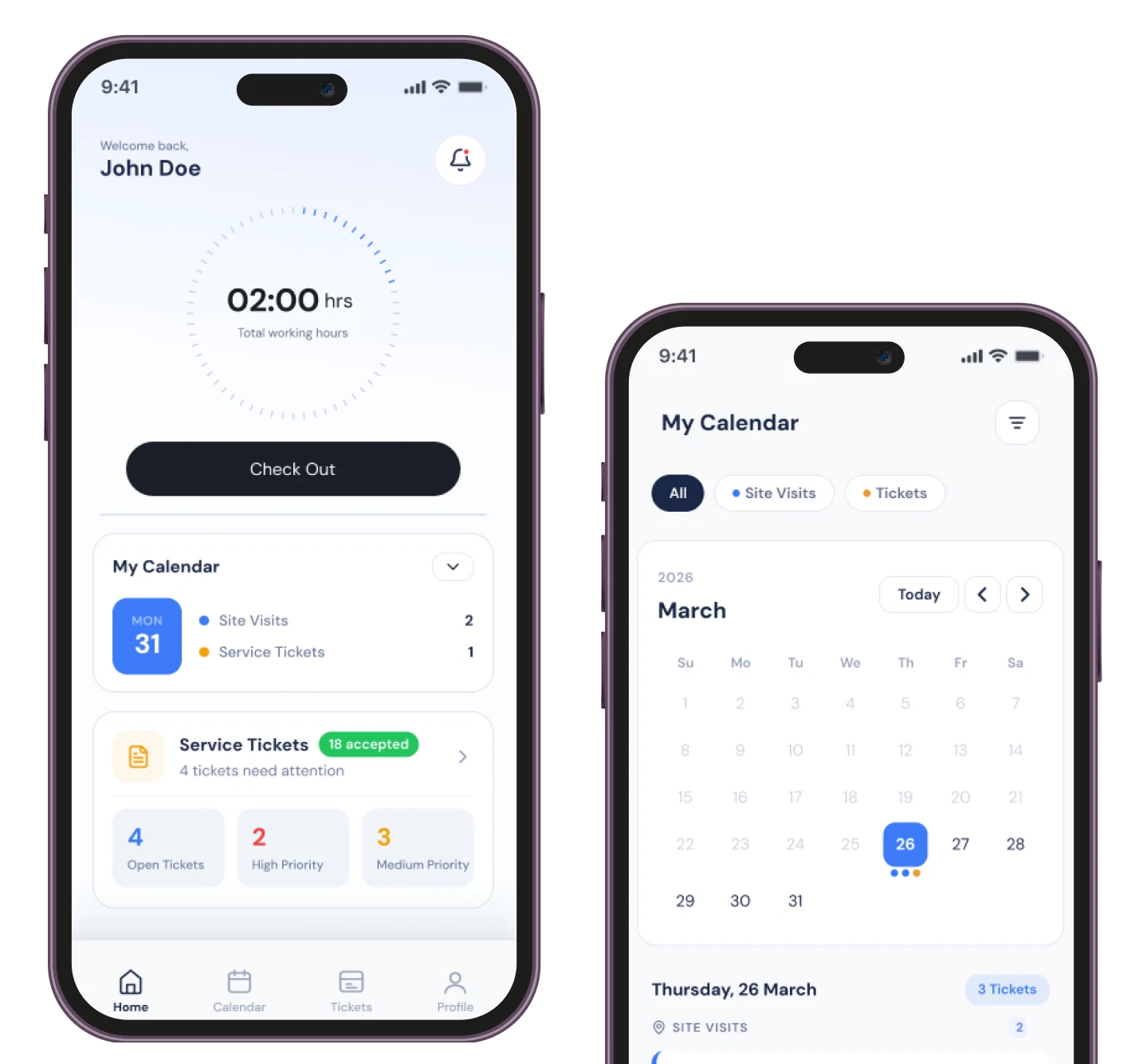
The Operations App is to the Maintenance module what the customer app is to the CPMS: the native app your engineers resolve tickets with — EV charging operations software built for the field, not the office.
Capabilities
Your engineers get an EV charge point operations app. You get evidence.
Every step of a visit leaves evidence on your ticket, and it only closes when the charger agrees.
The day
Your engineer's day plans itself.
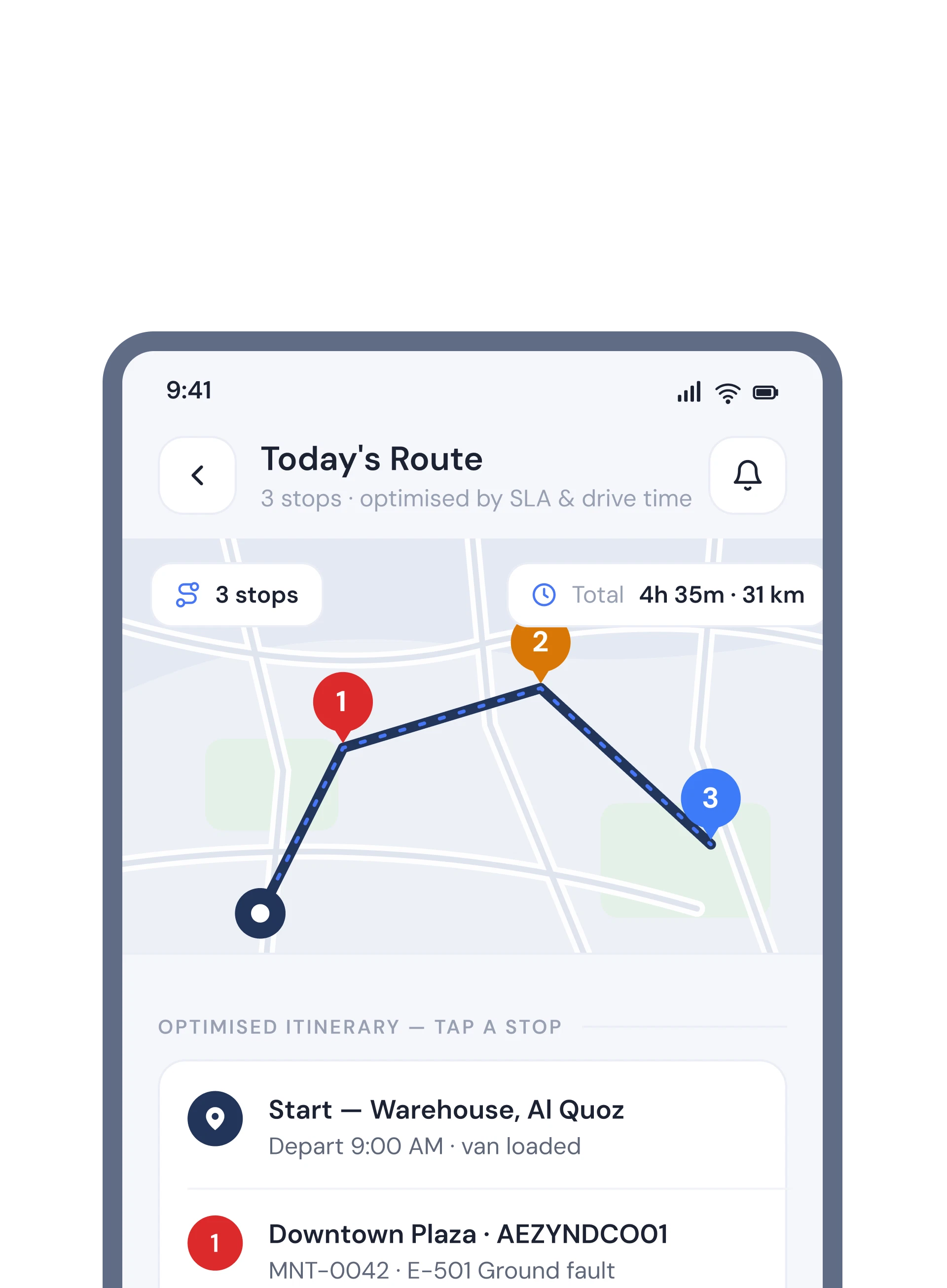
Assigned jobs become an ordered route from EV charging field operations software; anything unassigned waits in a pool your nearest engineer can take.
- Plan my day: stops ordered into a route the engineer can reorder before starting
- A pool of unassigned jobs. Your engineers take whatever is closest
- Priorities and your SLAs visible on every stop
- Engineers reschedule or call support without leaving the app. You see it on the ticket
The evidence
The engineer checks in with GPS. Photos unlock the work.
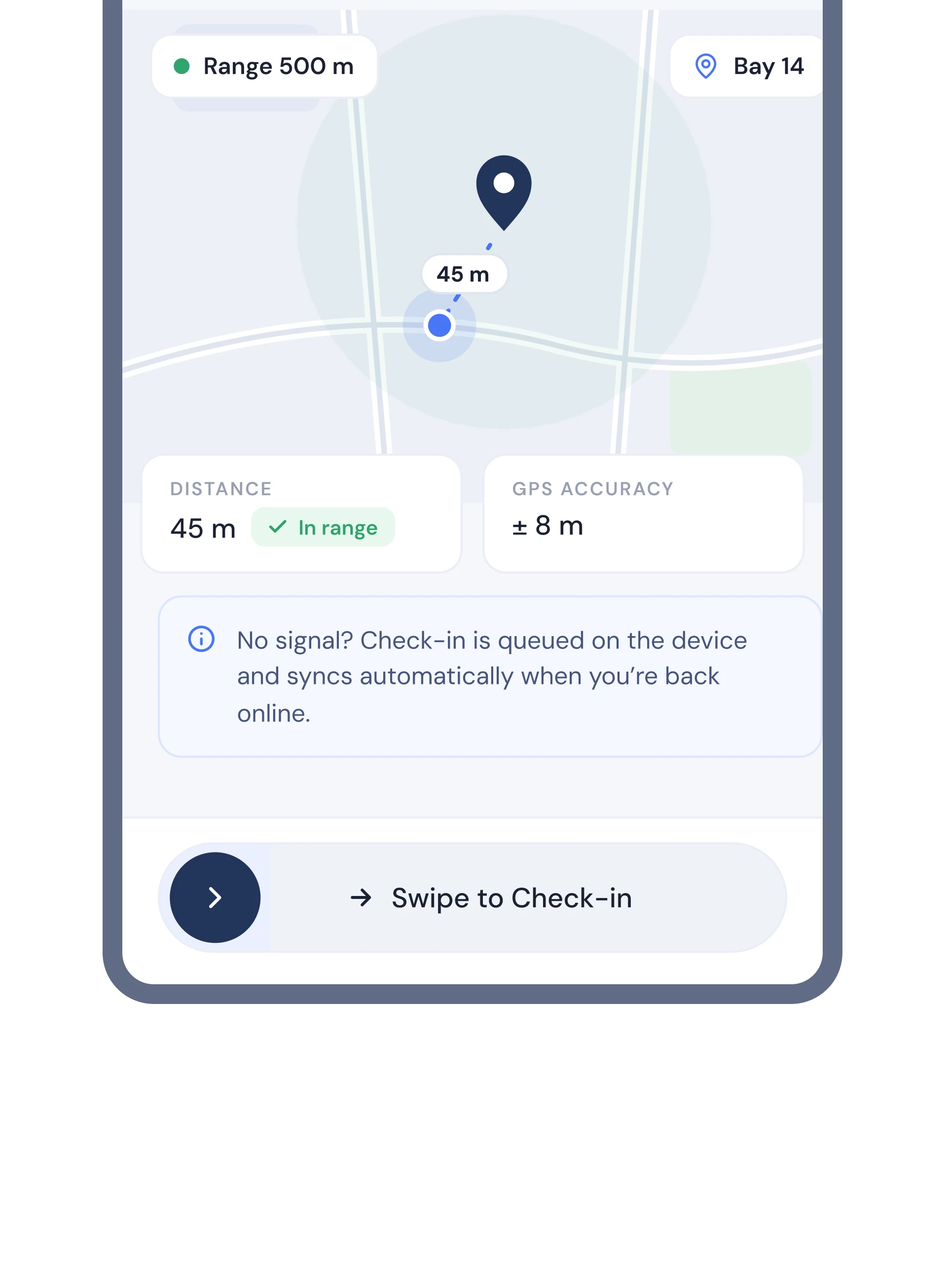
Arrival is recorded, not claimed, and nothing proceeds until two stamped before-photos are on your ticket — charge point troubleshooting software that trusts evidence over a claim.
- The engineer swipes to check in. GPS location and accuracy land on your ticket
- Minimum two before-photos, GPS and time-stamped, unlock the steps for the engineer
- Parts pulled from your inventory; resolution notes close the log
- Offline check-ins queue and sync when the signal returns
The health gate
Your ticket closes when the charger agrees.
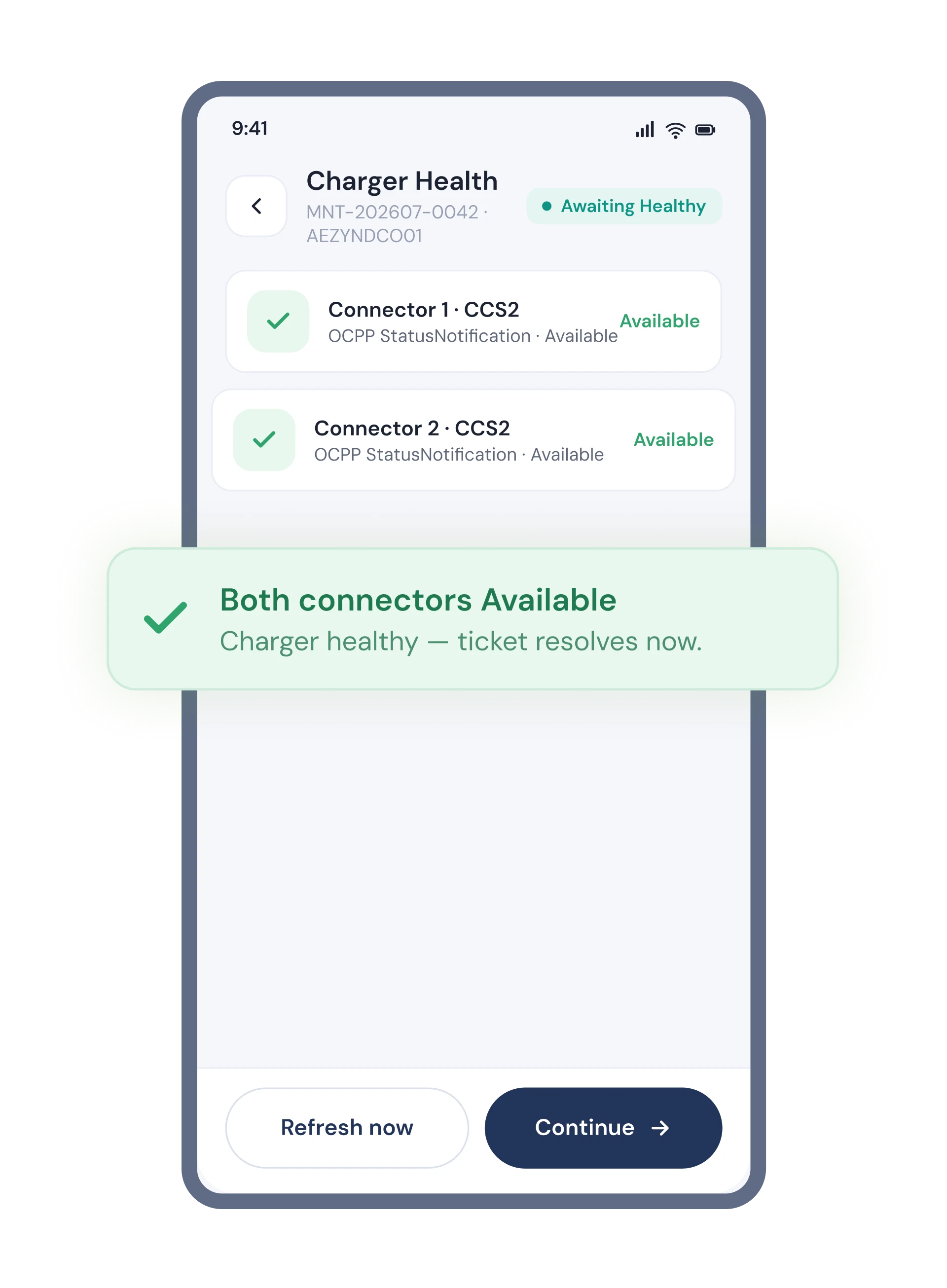
A reactive ticket holds in Awaiting Healthy until live OCPP status confirms every connector. You close on evidence, not optimism — remote charger management that trusts the charger's own status, not the engineer's word.
- Awaiting Healthy: the state between I fixed it and it is fixed, visible to you live
- Live OCPP status checked per connector before the engineer can resolve
- Two minutes of patience beats you paying for a repeat visit next week
- PM tickets skip the gate and close on their completed checklist
The lifecycle
Your tickets close on evidence, not promises.
Each step needs something real before the next one unlocks, which is how turnaround figures stay true enough to put in front of a client — from a charger management system built to be audited.
Step 01
Check in
Swipe to check in on site. GPS location and accuracy land on the ticket.
GPS · timestamp
Step 02
Before photos
Minimum two photos, stamped. Nothing else unlocks until the evidence is in.
Min 2 · GPS + time stamped
Step 03
The work
Steps, parts and notes. Parts pulled from inventory so stock counts stay true.
Parts · work log · notes
Step 04
Health gate
Awaiting Healthy. The ticket holds until live OCPP status confirms every connector.
OCPP verified · per connector
Step 05
Resolved
Closed on evidence: photo pair, work log and a charger that answers. PM visits skip the gate and close on their checklist.
Evidence pair · PM skips gate
Questions
Frequently asked questions.
Next step
Put it in a field engineer's hands.
The fastest way to judge a field app is to give it to someone who does the job.
- Demo on your data, not ours
- Honest answers, including when it is no
- We reply within one business day