



CPMS module · Maintenance
Faults become tickets. Automatically.
Reactive, automatic, planned and customer-raised. Every path a fault can take becomes a ticket the console can prove was fixed — EV charger uptime monitoring that never sleeps.
Four journeys
Every path a fault can take, handled.
One work queue, four ways onto it, from EV charger maintenance software with the same SLAs whichever door a problem came through.
The back-office console
One console for support and network operations.
The EV charging network monitoring software underneath the four journeys, shared by your support desk and your network team.
The fault catalog
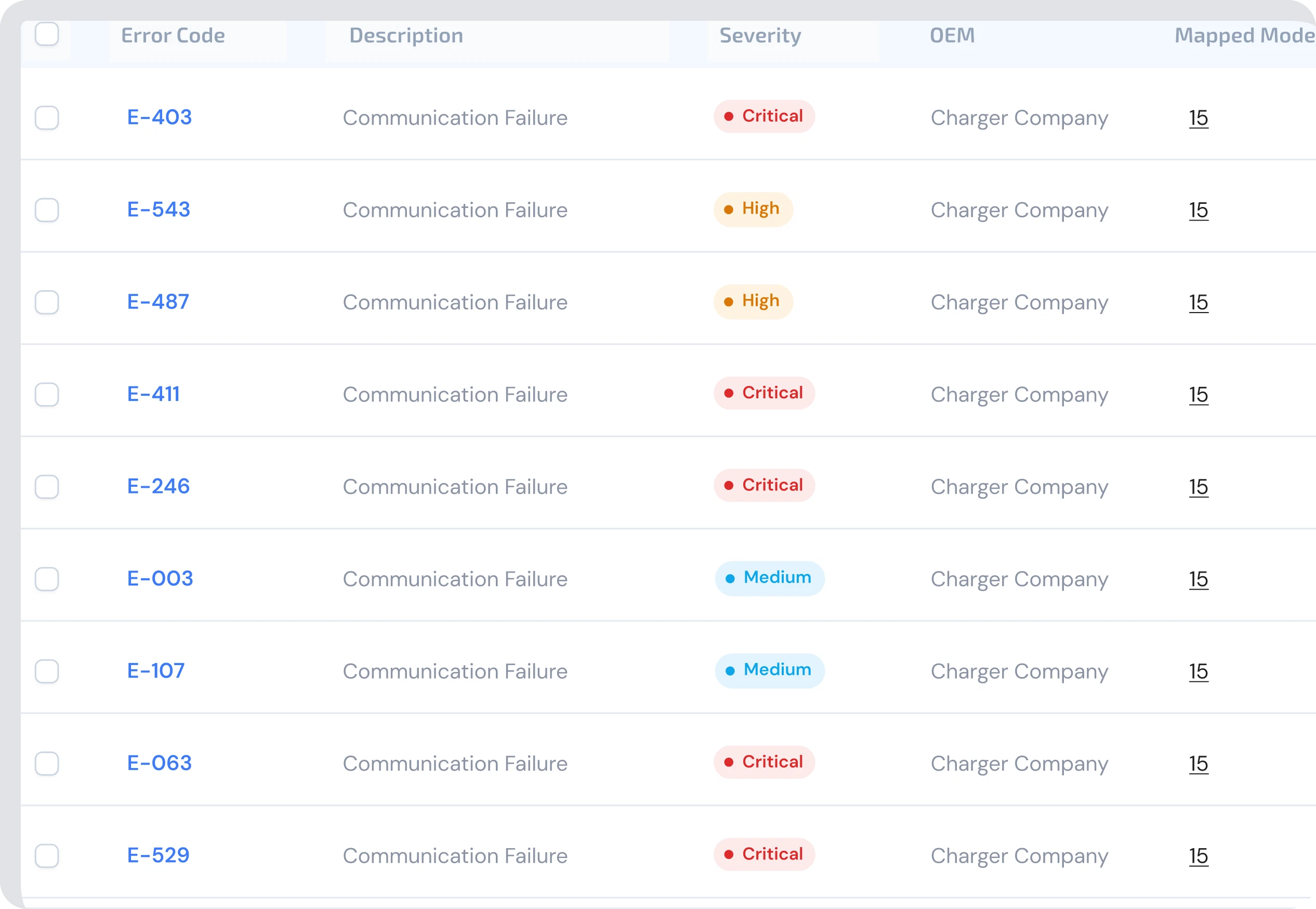
Every error has a name, and most have a playbook.
EV charging fault detection starts here: mechanical, thermal and electrical faults live in one catalog, each mapped to the playbook that clears it.
- Errors classified mechanical, thermal or electrical
- Each code mapped to a recovery playbook, or flagged unmapped until it gets one
- The same fault twice becomes a pattern, not a surprise
- New codes from any charger vendor join the catalog, not a spreadsheet
The work queue
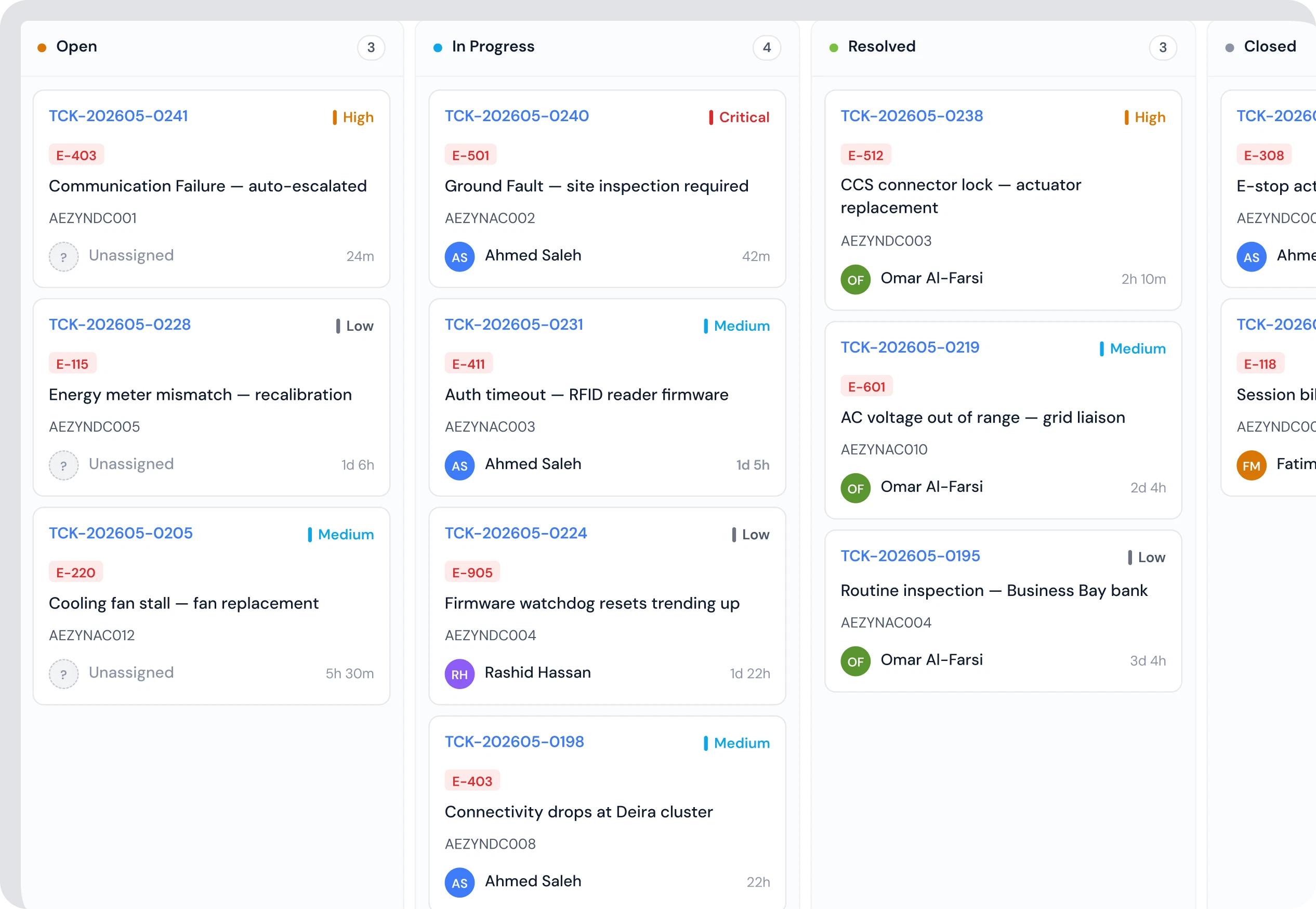
One work queue for every ticket.
Tickets move Open to In progress to Awaiting parts with priority and SLA on every card, and every intervention on the record.
- Priorities from Low to Critical, sortable and filterable
- SLA and TAT clocks on every ticket. You see them before they breach
- Waive, extend, reassign or reprioritise, with who and why logged
- Reactive, auto-recovery, PM and support tickets on the same board
PM schedules
Visits happen before failures do.
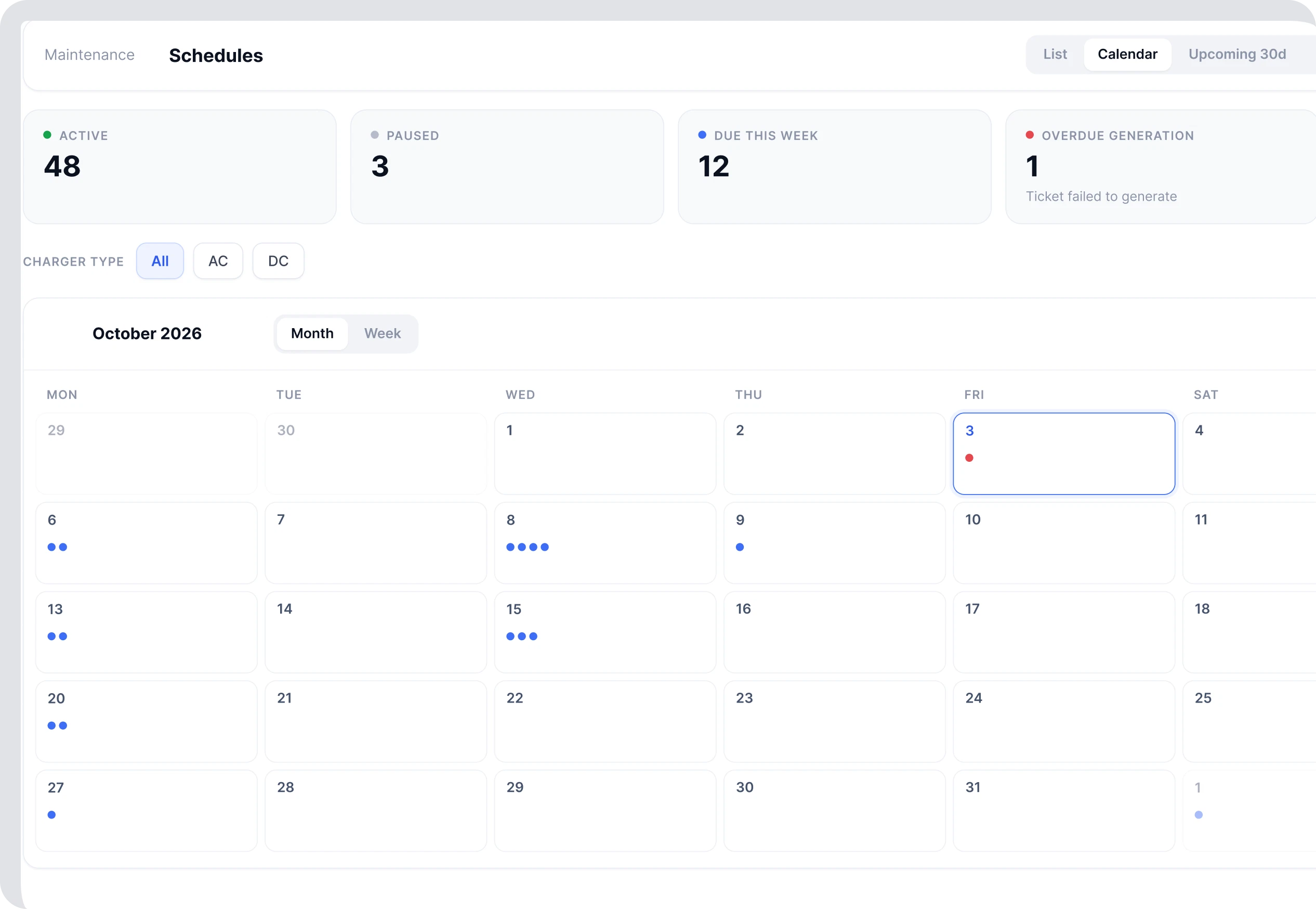
Preventive maintenance runs on a calendar: month and week views, task templates, and the next 30 days at a glance.
- Month and week calendars with every planned visit
- Task templates so a quarterly DC inspection means the same thing every time
- Upcoming-30-days list for planning crews and parts
- Pause or end a schedule any time, with the history kept
Parts and playbooks
Spare parts counted right. Repair steps tested first.
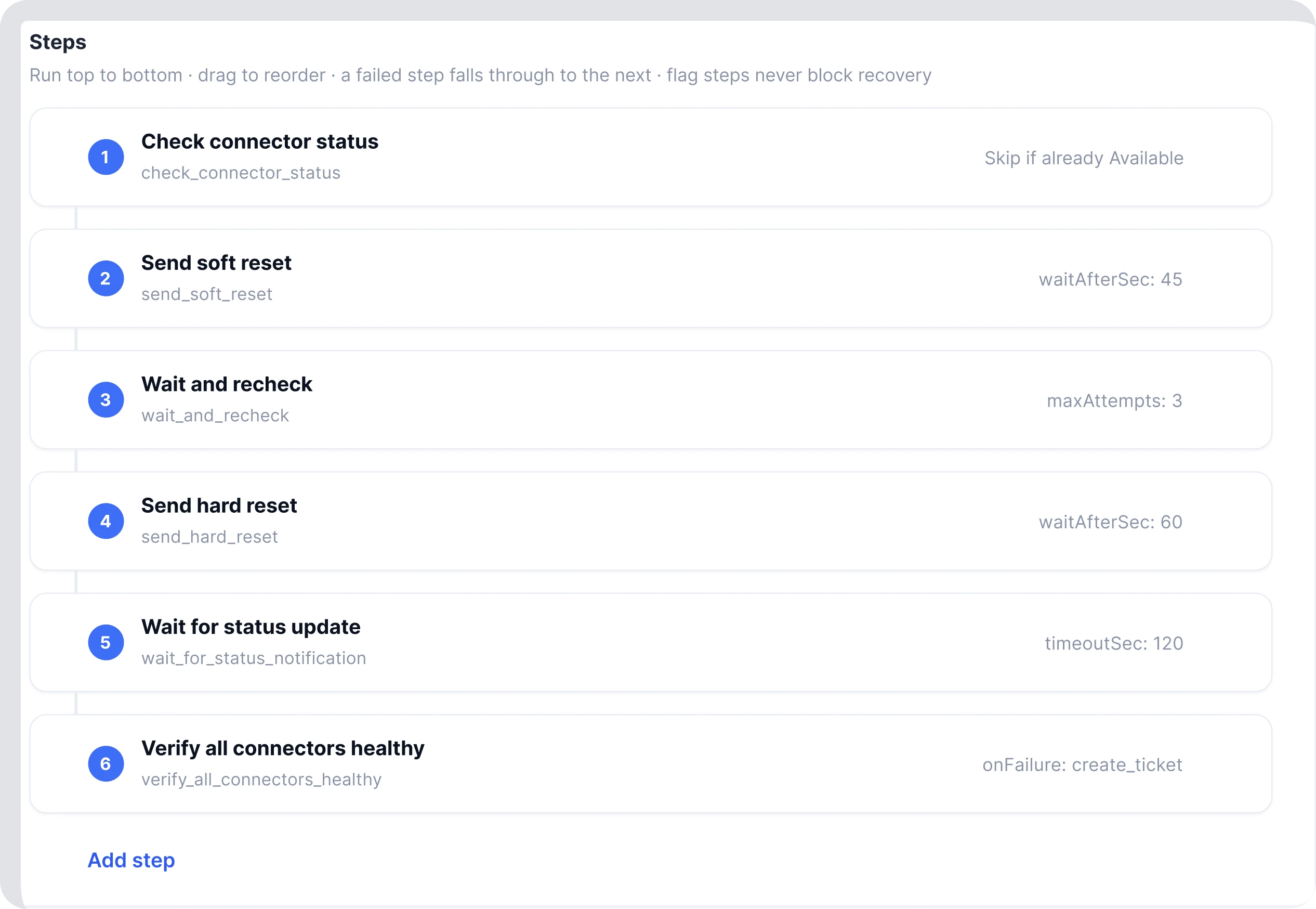
Tickets consume parts so inventory stays honest, and playbooks are versioned, test-run and only then trusted with live chargers.
- Stock levels and adjustments, every change with a reason
- Tickets pull the parts they used. Counts stay true without an audit
- Playbooks with steps, exceptions and a shared function library
- You test-run new versions against a charger before they go live
The named jobs
Know about problems before your customers do.
They just stop coming. Six named jobs run remote charger monitoring around the clock and decide what is worth waking someone for.
Ninety-one seconds, no engineer, no lost weekend. The jobs live on the OCPP layer
Questions
Frequently asked questions.
Next step
Tell us your worst repeat fault.
We will show you how the error repository, playbook and spares flow of this charge point monitoring software would have handled it.
- Demo on your data, not ours
- Honest answers, including when it is no
- We reply within one business day